The Phomemo Label Maker review is a close look at the D30, a small Bluetooth label printer designed for making labels from a phone.
Its broad collection of templates and support for several narrow tape widths suit everyday organization, provided you are comfortable designing labels in the Print Master app.
Phomemo D30 Review Summary
The quick verdict
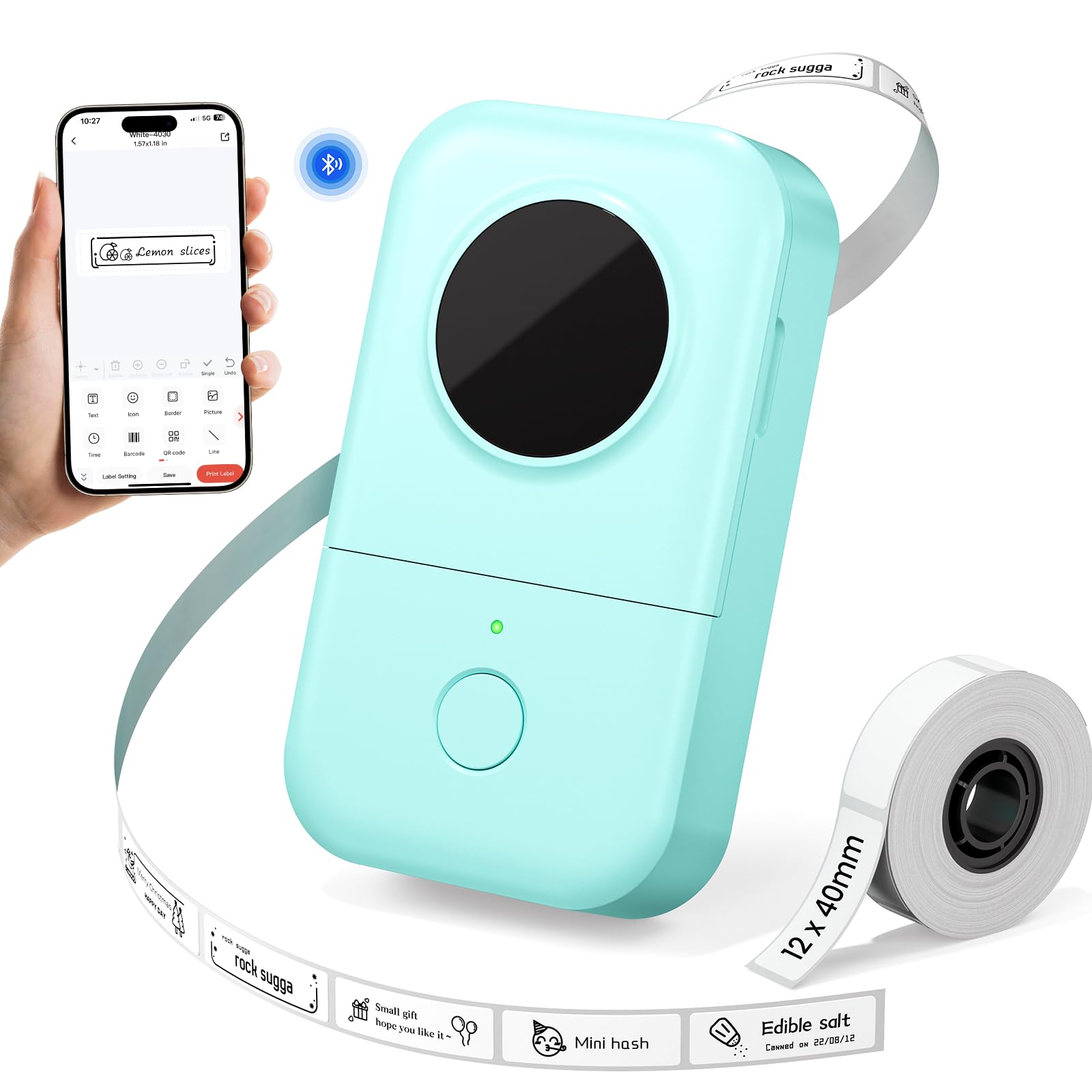
1,000+ ratings
Read Amazon ReviewsPhomemo D30 Label Maker
A pocketable Bluetooth label maker for people who want to organize home, school, and office items with customizable labels from a phone.
- Bluetooth connection for printing labels designed with a phone app.
- Print Master is the specified app; the product details caution users to download it rather than the Phomemo app.
- Thermal printing at 203 DPI, without ink, toner, or ribbons.
- Compatible tape widths listed as 6, 12, 14, and 15 mm.

Pros
- Very light and compact for moving around the house, classroom, or office.
- A large set of fonts and design elements supports labels with more personality than plain text alone.
Consider before buying
- The 15 mm maximum tape width limits it to relatively narrow labels; measure the space and check sample layouts if larger text is important.
- Label creation relies on the Print Master phone app, so buyers who want a computer-based workflow should confirm their preferred device setup before choosing it.
Read the full review summary
The D30 is built around a straightforward routine: create a label on a phone, connect over Bluetooth, and print on thermal tape.
It covers common jobs such as marking jars, storage boxes, food containers, folders, and school supplies, while the rechargeable battery and 0.35-pound weight make it easy to move between rooms or carry along.
Its strongest appeal is creative flexibility in a compact format. The app includes more than 1,000 symbols, 60 frames, 120 fonts, and 60 borders, and the printer supports 6, 12, 14, and 15 mm tape.
This is a better fit for short text and identification labels than for buyers who need wider shipping labels or prefer to create print jobs on a computer.
The buying factors
Phomemo D30 Scorecard
Editorial scores reflect listed features and buyer fit; they are not laboratory measurements or customer ratings.
Portability
At 0.35 pounds, it is light enough to carry between work areas or keep with school and craft supplies.
Design flexibility
The stated selection of symbols, frames, fonts, and borders gives label layouts plenty of ways to vary.
Everyday organization fit
Its suggested uses span kitchen containers, storage, school supplies, and office folders.
Tape-width flexibility
Four listed widths cover a range of small-label tasks, though the maximum width is 15 mm.
Setup convenience
Bluetooth printing keeps the device cordless, but label creation depends on using the specified phone app.
Ongoing supplies
Thermal printing avoids ink, toner, and ribbon; tape remains the essential consumable.
Key Features and Specifications of Phomemo D30
- Bluetooth connection for printing labels designed with a phone app.
- Print Master is the specified app; the product details caution users to download it rather than the Phomemo app.
- Thermal printing at 203 DPI, without ink, toner, or ribbons.
- Compatible tape widths listed as 6, 12, 14, and 15 mm.
- The app offers more than 1,000 symbols, 60 frames, 120 fonts, and 60 borders, with label content options including text, QR codes, barcodes, and images.
- Rechargeable 1,200 mAh battery and Micro USB charging port.
- Portable design weighing 0.35 pounds, intended for home, school, and office labeling.
Pros and Cons of Phomemo D30
Pros
- Very light and compact for moving around the house, classroom, or office.
- A large set of fonts and design elements supports labels with more personality than plain text alone.
- Thermal printing removes the need to buy ink, toner, or ribbons.
- Multiple tape widths give buyers some choice in how compact or readable a label should be.
Consider before buying
- The 15 mm maximum tape width limits it to relatively narrow labels; measure the space and check sample layouts if larger text is important.
- Label creation relies on the Print Master phone app, so buyers who want a computer-based workflow should confirm their preferred device setup before choosing it.
- The description notes that adhesive labels may leave residue; consider the surface and whether residue would matter before labeling valued items.
Who Should Buy Phomemo D30?
Good fit
Consider the D30 if you want a portable way to label jars, food containers, boxes, folders, or school materials and expect to create designs on your phone.
Its mix of templates, symbols, and font choices can help distinguish categories or add simple visual cues without making label design a separate project.
It also makes sense for occasional labeling around a home, classroom, or small office, where the compact body and rechargeable battery can be useful.
The range of tape widths offers some flexibility for different items, while thermal printing keeps the workflow free of ink and toner supplies.
Before buying, decide whether the phone-app process and narrow tape format match your routine. Check the actual surface and label size you have in mind, especially if residue or legibility at a distance could be a concern.
Who should skip it
Look elsewhere if your main job is printing broad shipping labels or other large formats. The D30’s listed tape tops out at 15 mm, so it is intended for smaller labeling tasks.
It may also be a poor fit if you do not want to design labels on a phone. Confirm that the Print Master app works with your preferred device and workflow before committing.
How the Phomemo D30 Label Maker Fits Everyday Organization
A phone-first labeling routine
Bluetooth lets the printer sit near the items being organized while a phone handles layout and content.
That can be convenient for labeling containers in a kitchen or boxes in a storage area, but it makes app compatibility and ease of editing central to the buying decision.
The product details specify Print Master, so install the correct app before planning a large batch of labels.
Design options for identification
The app’s stated library of fonts, symbols, frames, and borders is useful when labels need to do more than repeat a plain name.
A symbol can help distinguish categories at a glance, while different borders or fonts can separate household zones or classroom supplies.
These choices are most valuable when the added styling still leaves the printed text readable at the label’s small size.
Tape width and the job at hand
Support for 6, 12, 14, and 15 mm tape provides a few options for matching label width to the item. Smaller widths can suit compact markings, while the wider option leaves more room for words or design elements.
Even the widest supported tape remains narrow, so buyers should compare the intended label area with the D30’s format before expecting it to handle larger packages or shipping tasks.
Rechargeable thermal printing
Thermal printing avoids ink, toner, and ribbons, which simplifies the supply list; compatible label tape is still needed. The 1,200 mAh rechargeable battery supports cordless use, and the Micro USB port provides the stated charging method.
Since the product description gives no run-time figure, buyers planning repeated long sessions should consider how often they expect to print and keep charging access in mind.
Alternatives to Phomemo D30
Desktop Label Printers alternative

14,000+ ratings
Read Amazon ReviewsNIIMBOT D110 Label Maker
Choose between them based on app preference and the setup details that matter to you: the D30 highlights a larger stated selection of design elements, while the D110 calls out batch printing, Type-C charging, and label recognition.
Check the compatible label formats and phone workflow for either model before buying.
- The NIIMBOT D110 uses the NIIMBOT app, supports batch printing, includes a Type-C charging cord, and is described as recognizing several kinds of label paper.
- Its description also states that it does not work with computers.
- The Phomemo D30 combines a broad stated design library with 6, 12, 14, and 15 mm tape support, and relies on Bluetooth and the Print Master app.
Desktop Label Printers alternative
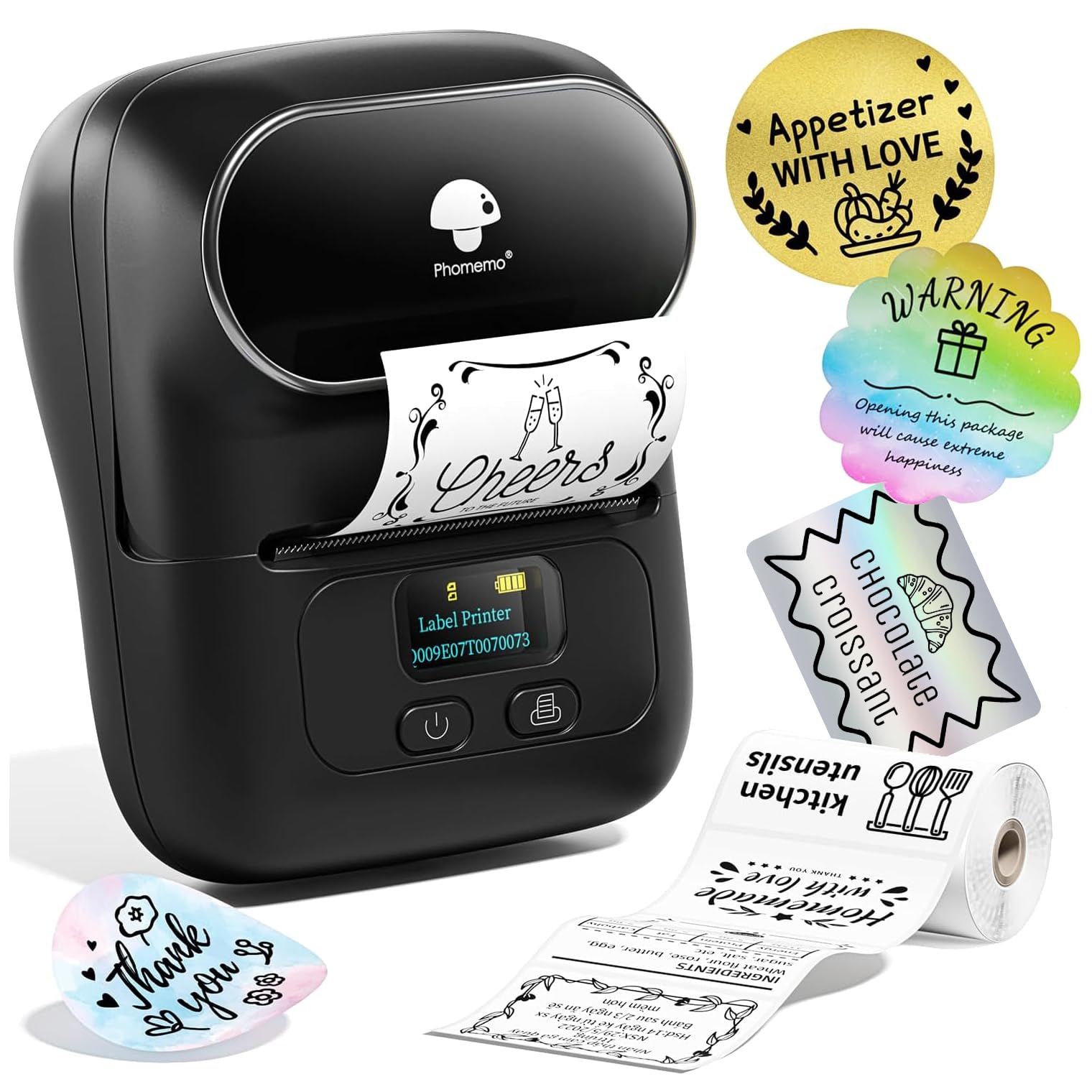
2,000+ ratings
Read Amazon ReviewsPhomemo M110 Label Maker
The M110 is the more relevant choice if your labels need a wider format or your work includes retail-style product information.
The D30 is a better match when portability and narrow everyday labels matter more than the M110’s wider supported labels.
- The Phomemo M110 supports label widths from 20 to 50 mm, includes 100 starter labels, and its description highlights barcode, price-tag, ingredient, and product labeling for small businesses.
- The D30 is especially compact and supports tape widths up to 15 mm, making it a focused option for small household, school, and office labels.
Is Phomemo D30 Worth It?
The Phomemo D30 is worth considering for phone-first everyday organization. It pairs a very portable body with thermal printing, several narrow tape widths, and an expansive set of design elements for labels around the home, school, or office.
Buy it if those small-format jobs match your needs and you are happy to use Print Master.
Pass if you need wider labels or a different printing workflow, and check the label surface and intended text size before stocking up on tape.
Your review at a glance
1,000+ ratings
Read Amazon ReviewsPhomemo D30 Label Maker
A pocketable Bluetooth label maker for people who want to organize home, school, and office items with customizable labels from a phone.
- Bluetooth connection for printing labels designed with a phone app.
- Print Master is the specified app; the product details caution users to download it rather than the Phomemo app.
- Thermal printing at 203 DPI, without ink, toner, or ribbons.
- Compatible tape widths listed as 6, 12, 14, and 15 mm.